
Receipt Printers not Showing or Giving the Option to Select in Horizon
If after logging into Horizon you’re not given the option to select your receipt Printer you can try the following.
Whilst logged into Horizon perform the following
- Select Operator
- FI Defaults
- Maintenance
- Branch Record
- Maintain at the Bottom
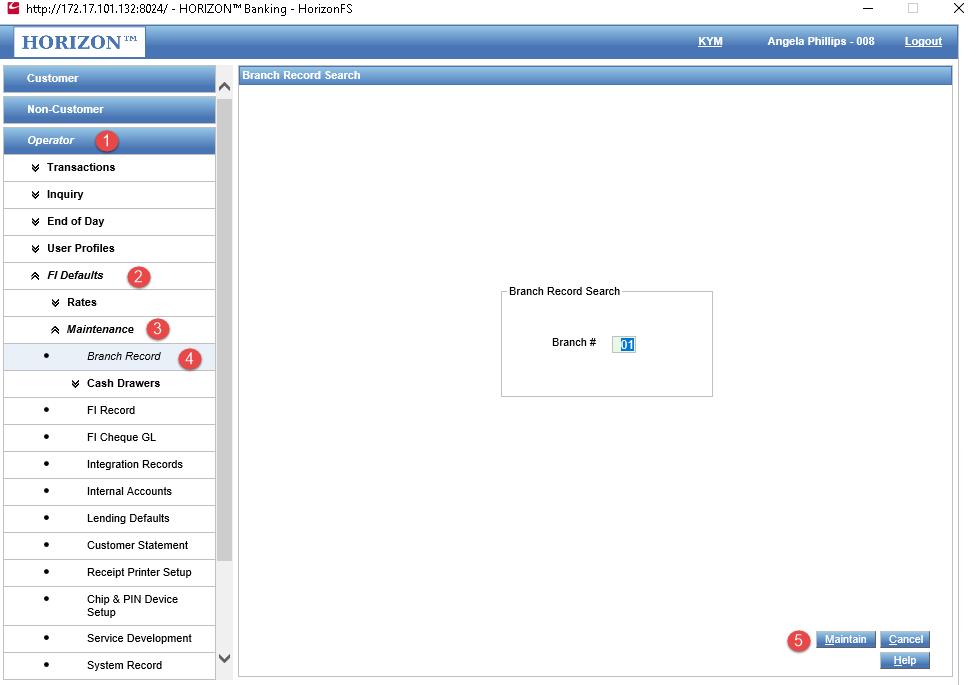
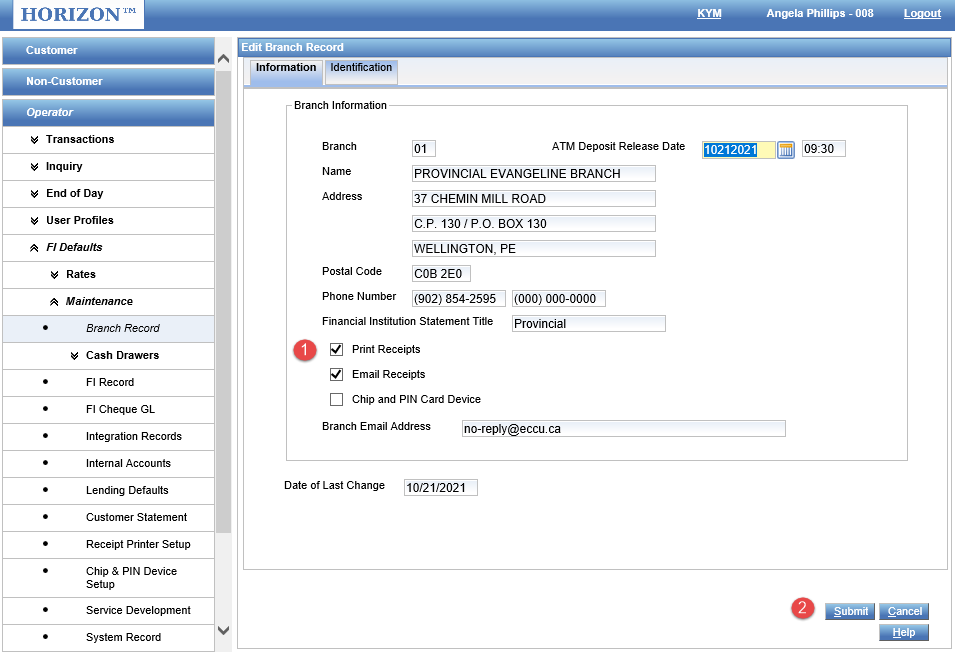
This will open a second page for you, and you will perform the following
- Enable - “Print Receipts”
- Select Submit.
- Log off, and back onto Horizon.
Comments
0 comments
Article is closed for comments.