
How to view previous or existing open tickets
- In your browser go to: https://provincialcu.zendesk.com/hc/en-us
- On the right-hand side near the top of the page sign into your account.

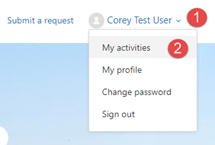
- Once you’ve signed in you can use the drop-down option to select “My Activities”
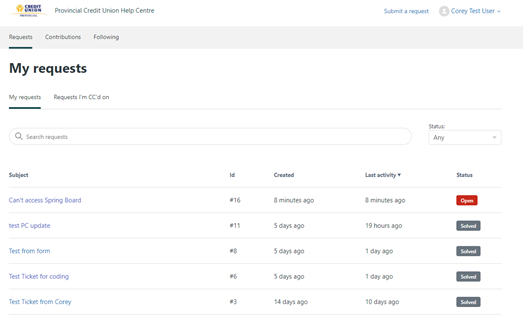
- You will now be able to see all the tickets you’ve submitted in the past and view any open or pending tickets you have as well.
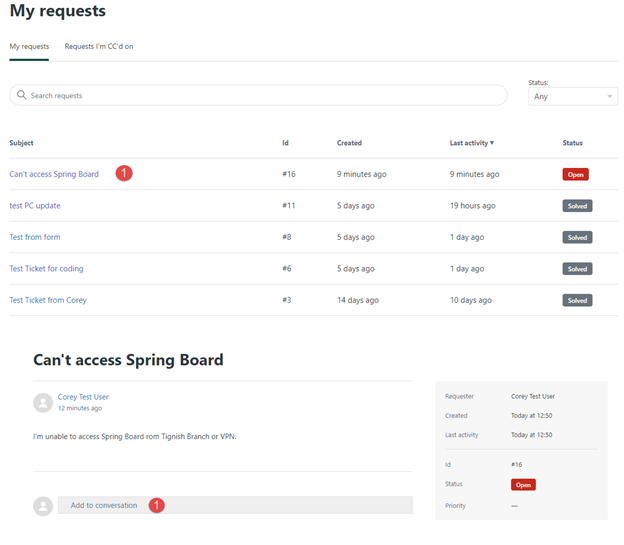
- Clicking the link of an open or pending ticket will allow you to add to the conversation if you need to add more info. Subsequently you can update a ticket at anytime simply by replying to the email outlining your ticket.
Option #1
Option #2
Simply reply to the email you were sent by the Ticket Portal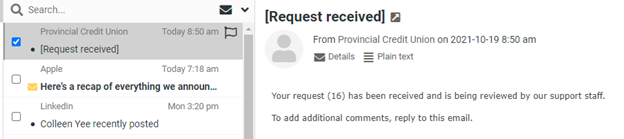
Comments
0 comments
Article is closed for comments.